About us

Franchise Management System - established by Riich Me to empower the M-SMEs, by providing an affordable management system to transform traditional or non-systematic businesses to eCommerce for the Digital World.

The Franchise Management system – is an integrated platform between Franchise Management and Go Digital system that allows business owners to automate and digitalize their businesses and to provide digital support to their franchisee and sales business partners.

Here are below five reasons
that Franchise Management System is the answer:

If your business has more multiple stores or branches.

If you are selling the franchise to the local business owners.

If you are a brand owner.

If you want to grow your business to the next level.

If your business has more multiple stores or branches.

Franchise Management Features

ePOS – New generation of point of sale that synced Online and Off-sales sales.

Go Digital system – that turns all your branches, and sales business partners into eCommerce.

Centralized Branch Management system.

Centralized Branch Management System Features

Product Catalog Management

Wholesales & Retail Price Management

Inventory Management

Branches Management

eCommerce Order Management

Marketing tools: Coupon and Flash sales management

Delivery Management

Smart Sales Report

Customer Management

Shipping Management

How does it work?

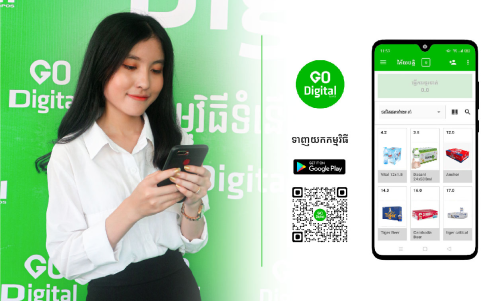
Download ePOS – Go Digital App

  • Create an account – Selecting SMEs' business packages start with $25+ per month to activate your store.
  • Create your store or business profile.
  • Add (+) product to the ePOS Go Digital App.
  • Start selling.

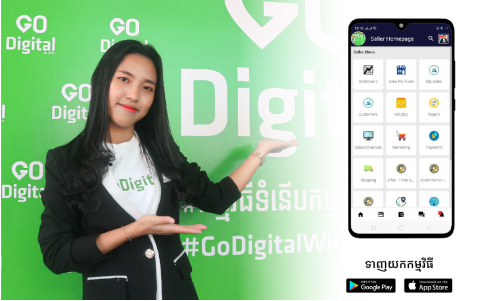
Unlock all features by Mobile App

  1. Download “Riich Business App”
  2. Log in to your account by using the ePOS Go Digital Login detail.

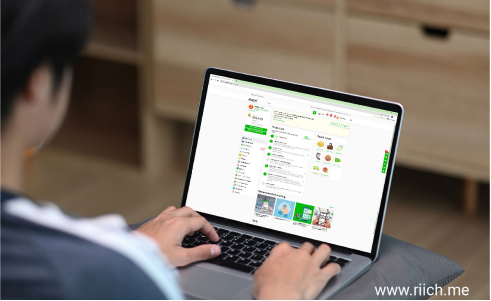
Unlock all features by Web-based Application

  1. Visit www.riich.me
  2. Log in to your account by using the ePOS Go Digital login detail.
  3. Click on “Seller Dashboard”.

Download Apps

FAQs

It takes only a few step to upgrade your business to the next level.


There is two way do add your product into the ePOS terminal. In ePOS App: Directly create a product with ePOS App (Advisable for a single store or Micro Business Account).

  1. Login to your ePOS App.
  2. Click on “item”
  3. Click on (+) to create a new item.
  4. Fill up product information
  5. Click on “Save”

In Riich Business App: Riich business app is designed as the back-end for the M-SMEs business owner to manage businesses via smartphone, it is developed with a robust system with all-in-one features, where business owners can turn a smartphone into a business management device.

  1. Download “Riich Business App”, Click here. (Applicable for both Android & iOS).
  2. Create your store
  3. On the seller dashboard, click on “Catalog”
  4. Click on “Create product”
  5. Fill up product information
  6. Click “Save”.

It takes only a few steps to create your ePOS account.

  1. Download ePOS App. Click here
  2. Sign-up for your account (fill-in your name, password, gender, date of birth, and email or phone number).
  3. Verify your email or phone number. Complete the OTP code that is sent to your email/phone number.
  4. Click on “Confirm”
  5. Select your subscription plan and type of business, Micro = Single store, Small = 03 stores, Medium = 10 stores, Enterprise = 100 stores).
  6. Select your payment method, we recommend you to choose “ABA Pay”.
  7. Confirm & complete your payment.
  8. Create a store (Fill up store name, email, address, phone number, and store description).
  9. Ready to go “Digital”.

We accepted ABA payment, Visa, Master Card, and Union Pay) and the payment must be in App payment.

To connect the blue-tooth printer, please follow below steps:

  1. Pair the device, go to “Phone setting”, turn on your blue-tooth.
  2. Turn on the Blue-tooth printer device
  3. At the phone setting click on “RPP02” (Printer name to pair), click pairing code “0000”, you will also find detailed information in the device manual attached with the printer.

After pairing the device

  1. Open your ePOS App, login to your ePOS account.
  2. Click on the left menu and click
  3. Click on "Printer"
  4. Click on "Scan" and select the printer name "RPP02".
  5. Then test print

To customize your receipt, and enjoy the use of the complete feature for the M-SMEs, please go to Business App.

  1. Download Riich Business App, Click here.
  2. Use your ePOS (username and password) to login to Riich Business App.
  3. On the M-SMEs dashboard, click on “ePOS”
  4. Click on “ePOS Integration”.
  5. Complete your receipt information (Logo, store name, URL’s link for QR code, address, phone number), then click “Save”.
  6. Go to your ePOS App, logout and login again to your ePOS App.
  7. Create a ticket and print a test, to see if the receipt information is correct.

To manage the multi-store, please go to Riich Business App.

  1. Download Riich Business App, Click here.
  2. Use your ePOS (username and password) to login to Riich Business App.
  3. You can manage and explore business features on the “M-SMEs dashboard”.

To add and manage staff, please go to Riich Business App.

  1. Download Riich Business App, Click here.
  2. Use your ePOS (username and password) to login to Riich Business App.
  3. On the M-SMEs dashboard, click on “Setting”
  4. Click on “User” Management.
  5. Click on (+) to add staff.
  6. Select user, and select the roles for your staff.
  7. Click on “Save”

To check the detailed sales report and product performance, please go to Riich Business App.

  1. Download Riich Business App, Click here.
  2. Use your ePOS (username and password) to login to Riich Business App.
  3. On the M-SMEs dashboard, click on “Report”.
  4. You can view your sales report based on the selected date, top sales, or less-sales products and you also can export the report to PDF or Excel format.

The eCommerce will be created automatically when you sign up an account with the ePOS App and generated a store QR Code in your profile menu, to find your eCommerce store, just simply click on:

  1. Profile.
  2. Click “Download” QR Code or Click on the store link (e.g. www.riich.me/stores/store name), to include it in your marketing artwork.
  3. To view your eCommerce store, please simply scan the QR code.

With our business eCo-system, we don’t recommend you to print a lot of receipts whereby you should use digital receipt and send them to your customer automatically after payment. However, if you are looking for hardware, please click here for details